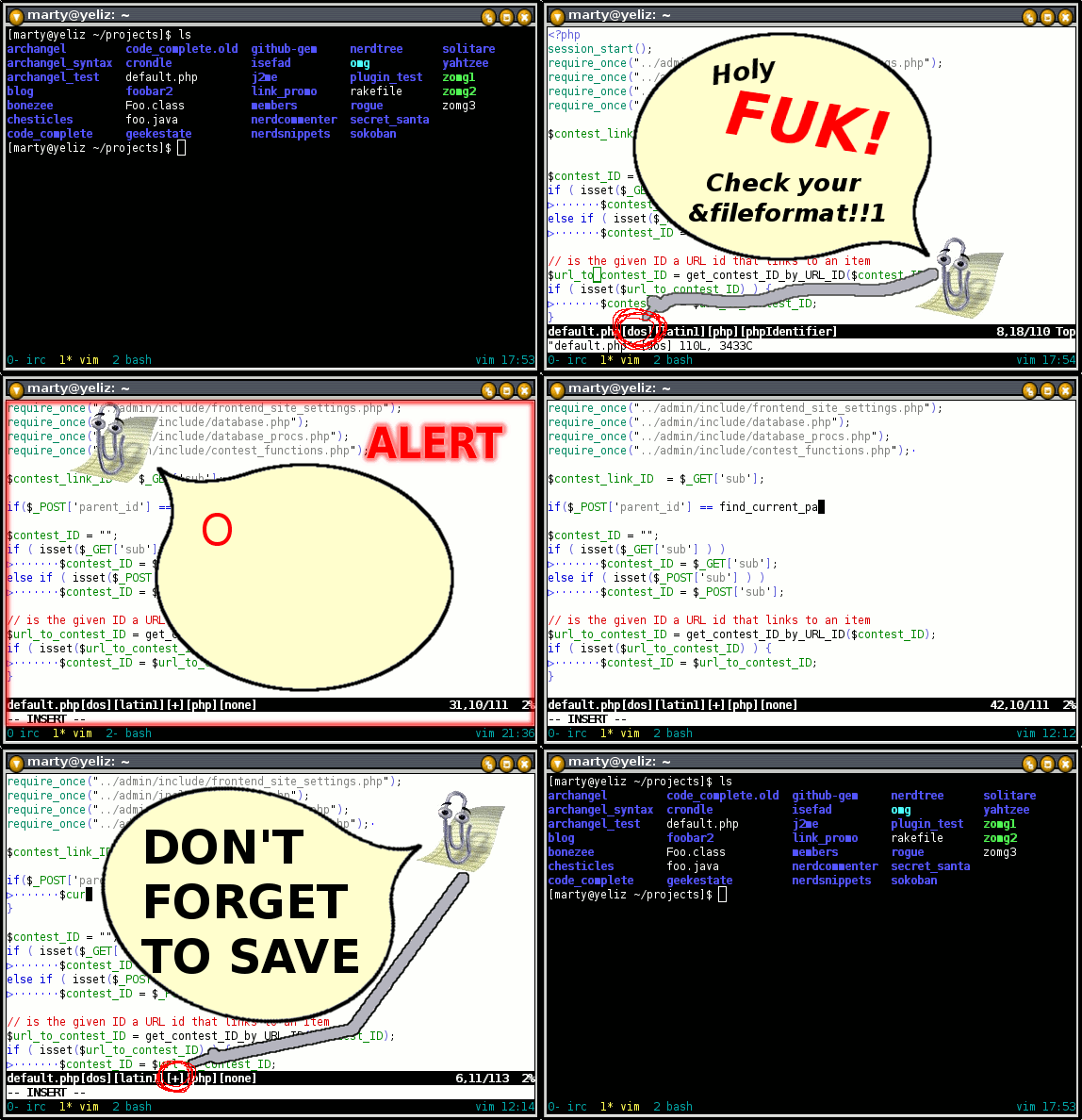
Showing posts with label vim. Show all posts

Thursday, September 15, 2011

Introducing Whitespace2.0.vim!

This is a raving that I wrote some months ago now while I was working a different job in a different country. I should point out that I liked the guys I was working with and they, generally speaking, were not retards...


The guys I'm working with are fucking geniuses and I fucking love them! I've been doing some maintenance on their PHP apps at work, and their coding standards are so advanced that Vim can't even support them out of the box! Luckily, I'm pro at vimscript and was able to write a plugin to help me!

<blink>Whitespace2.0! Now available on github! Get it here!</blink>

The making of Whitespace2.0 - A documentary

Right. First things first: we will need a random number generator. For this, we will nick some code from here.


Secondly, we will need to modify the behaviour of the tab key with this code:


Additionally, we need trailing whitespace to occasionally appear.

Sweet, that should do it.

PHP devs are blithering retards because Jesus made them that way

The other day a programmer at my work hacked on some PHP that I had written and, when I pulled the changes, I saw my code was now riddled with mixed indenting. I felt like he had just been in my bedroom and knocked all my transformers off the shelf and then just left them there. On the floor! That FUCK! I was going through Rapid Cyclic Weapon Escalation Syndrome1 and was in danger of rage-crapping my pants when I was reminded of that old bible story from primary school.

You know the one I'm talking about.

What are you? Stupid!? OK, here's an except:

... Jesus is on the assembly line putting together the final prototypes of all the programmers. He's bored as fuck and this shit has been dragging out all day - who knew there were so many fucking languages! All he wants is to be at home sucking on a beer and watching the tube, but instead he is stuck on the line putting the nerds together for daddy.

Poor Jesus...

So when the next head comes down the line, he pops the lid off and, instead of ramming in the corresponding brain, he hoists up his skirts and takes a giant shit right in there and snaps the lid back on ...

And thus explains why most PHP programmers are either:

A. too stupid to indent properly
B. completely ignorant about tabs, spaces and good indenting
C. don't know how to use their editors


(1). A mental disorder in which the subject fantasizes about killing someone with progressively larger and larger weapons until they have exhausted all possibilities, whereupon they begin combining weapons together into super-weapons. The ultimate culmination of which is a giant mega weapon made up of all known weapons in the universe.

Tuesday, July 13, 2010

Vim pr0n: Sample NERD tree plugins

I'm a lazy wank, and additionally: a bastard.

Which brings us nicely to our next point: The NERD tree API. In version 4.0 I added an API to allow people to add functionality to the NERD tree in the form of plugins.

I did this because I was getting tired of politely telling people where to ram requests for features that I either A. Would never personally use and therefore would probably do a poor job of maintaining, or B. Thought were good ideas, but was not interested in taking the plugin in that direction.

As a result, I've ended up writing a lot of small NERD tree plugins for people who have requested such features. In this raving I'll post and explain a couple of the simpler examples.

API Technical Details

You can get technical information about the API from :help NERDTreeAPI. Here you will find the documentation on the interface functions and some short usage examples. I spent ages writing that shit, so go check it out!


I see you've ignored my advice. You suck! However, in a rare show of generosity, I'll summarize it for you.

At the time of this writing the following public functions are defined in the NERD tree core:

NERDTreeAddKeyMap({options})
NERDTreeAddMenuItem({options})
NERDTreeAddSubmenu({options})
NERDTreeAddMenuSeparator([{options}])
NERDTreeRender()

The first 4 deal with extending the NERD tree key set and menu system, while the last redraws the tree buffer (useful if you have changed the tree somehow and want to reflect that in the UI).

Additionally, the following public classes are available:

NERDTreePath
NERDTreeDirNode
NERDTreeFileNode
NERDTreeBookmark

These are what the NERD tree core uses to get most of its biznass done. I wont say any more about them other than check out the source code, and check out this blog post to see the coding conventions used and for a rundown of prototype OO in Vim.

Example 1: A key mapping to open a :shell

In this example we add a key mapping on 'S' to the NERD tree that launches the :shell command in the directory of the currently selected node.


Even though I commented the living shit out of the code, it's probably worth mentioning the three points in this code where we call the NERD tree API:
  • Lines 8–11. Here we set up the NERD tree key binding so that when the user hits 'S', the NERDTreeStartShell() function is invoked. The quickhelptext value is what appears in the quick help (i.e. when you hit '?') under the "Custom mappings" section.
  • Line 18. Here we call GetSelected() (a class method of NERDTreeDirNode). This gives us a NERDTreeDirNode instance representing the directory node the cursor is sitting on.
  • Line 26. Here we call n.path.str(...) which gives us a string representation of the NERDTreePath object for the node in question, suitable for use with a :cd command. There are a number of formats and options the str() method can take. Check out the method comments in NERD_tree.vim for details.

Example 2: A menu item to open images

In this example we add a menu item to view images with eog. We could easily extend this to support some default image viewers for MF Windows™ and Mac OSX, but for simplicity, that has been left out.


Here is an image of the above code in action (after hitting 'm' on an image node):

The code is responsible for the last 2 lines of the menu. Some highlights:
  • Lines 13 and 14 add the menu separator (the line of dashes).
  • Lines 17–21 add the (v)iew image menu item.
  • Lines 14 and 20 ensure that the menu items only appear when the cursor is over an image node.
  • Line 21 connects the menu item to the NERDTreeViewImageMenuItem() function which shells out to eog to open the image.

Final ravings

We've seen a couple of basic examples of NERD tree plugins that show how to add additional key mappings and menu items. I've written many more such plugins, which have mostly been for the purposes of integrating the tree with external programs (e.g. git and grep), or with other vim plugins (eg UTL). I've also written plugins that add slightly modified versions of existing key mappings, or even override the existing mappings.

One day I may stop watching pr0n long enough to clean up and post some more complex examples. Until then, try to behave yourselves, and flick me an email if you write any dynamite NERD tree plugins!

Sunday, September 27, 2009

Vim pr0n: ignorecase fails

Fuck The Machine, lately the only thing I've been raging against is the ignorecase option.

In practice, the only use for ignorecase is to make vims regular expressions case insensitive when searching. However, for some reason, it also affects the == operator. Check this shit out:


:set noignorecase
:echo "foo" == "FOO"
0
:set ignorecase
:echo "foo" == "FOO"
1


What the fuck!? Good job team, you just made == ambiguous, and therefore completely useless.

This means script writers can't use == unless they explicity set the ignorecase option first, otherwise they don't know how their code will behave. Since that would be retarded, we should all stop using == and start using ==# or ==?, which is exactly what I've done.

But wait! Theres more! ignorecase also changes the behaviour of these comparison operators too:
!=
>
>=
<
<=
=~
!~

Who the fuck made this decision?! I have no idea, but Id like 5 minutes alone with that bitch so I could stab them in the face! Multiple times! WITH MY FUCKING RECTUM.

Just ask yourself: if you download someones vim script, is it really in your best interests to change how every single comparison operator in that script functions?

In my massively non-humble opinion, ignorecase should not affect any of the basic comparison operators, only specializations of those operators.

</rage>

Monday, July 6, 2009

Vim pr0n: Combating long lines

The other day my boss found me locked in the server room, naked and bathing myself with dish washing liquid and toilet water. When he asked what in the flying fuck I was playing at, I told him my soul was filthy and corrupt from all the long lines I'd been committing. In reply he told me I'd better sack up and write some vimscript hacks to keep my long lines under control. So that's what I did. Later that afternoon I was so happy I proposed to my boss and we lived happily ever after.

Read this raving if long lines bug you like a colony of fire ants assaulting your prostate.

Note: this raving assumes a fair amount of knowledge about statuslines in vim. If you aren't pro at statuslines then you should read this raving first.

Reporting long lines on the statusline

I've found it quite useful to have flags on my statusline that appear when a buffer is in an undesirable state; e.g. if the file format or encoding is wrong, or there are syntax errors, or mixed indenting etc. Ive recently coded a warning for long lines into my statusline. Check out this screenshot:


Notice the [#141,m82,$162] on the statusline. This is telling us that the buffer has 141 long lines, where the median length of these lines is 82 chars and the longest is 162 chars. This notice only appears when there is at least one line that is longer than &textwidth (typically 80).

That may seem like an excessive amount of information, but when I first coded a statusline warning, I only included the length of the longest line. This turned out to be insufficient since its common for a file to have one or two crazy long lines that are acceptable or troublesome to avoid. I could have only shown the number of long lines, but then I'd be left wondering how long they were; hence the median and longest line stats. Besides, more stats means more code behind my statusline, which makes it more likely the mother fucker will become sentient and hunt down Jamis Buck.

Here's the code from my vimrc:

 1 "....
 2 set statusline+=%{StatuslineLongLineWarning()}
 3 "....
 4
 5 "recalculate the long line warning when idle and after saving
 6 autocmd cursorhold,bufwritepost * unlet! b:statusline_long_line_warning
 7
 8 "return a warning for "long lines" where "long" is either &textwidth or 80 (if
 9 "no &textwidth is set)
10 "
11 "return '' if no long lines
12 "return '[#x,my,$z] if long lines are found, were x is the number of long
13 "lines, y is the median length of the long lines and z is the length of the
14 "longest line
15 function! StatuslineLongLineWarning()
16     if !exists("b:statusline_long_line_warning")
17         let long_line_lens = s:LongLines()
18
19         if len(long_line_lens) > 0
20             let b:statusline_long_line_warning = "[" .
21                         \ '#' . len(long_line_lens) . "," .
22                         \ 'm' . s:Median(long_line_lens) . "," .
23                         \ '$' . max(long_line_lens) . "]"
24         else
25             let b:statusline_long_line_warning = ""
26         endif
27     endif
28     return b:statusline_long_line_warning
29 endfunction
30
31 "return a list containing the lengths of the long lines in this buffer
32 function! s:LongLines()
33     let threshold = (&tw ? &tw : 80)
34     let spaces = repeat(" ", &ts)
35
36     let long_line_lens = []
37
38     let i = 1
39     while i <= line("$")
40         let len = strlen(substitute(getline(i), '\t', spaces, 'g'))
41         if len > threshold
42             call add(long_line_lens, len)
43         endif
44         let i += 1
45     endwhile
46
47     return long_line_lens
48 endfunction
49
50 "find the median of the given array of numbers
51 function! s:Median(nums)
52     let nums = sort(a:nums)
53     let l = len(nums)
54
55     if l % 2 == 1
56         let i = (l-1) / 2
57         return nums[i]
58     else
59         return (nums[l/2] + nums[(l/2)-1]) / 2
60     endif
61 endfunction


Crikey dick that's a lot of code! Lets run through it.

The StatuslineLongLineWarning() function constructs and caches the flag that will appear on the statusline. The flag will be an empty string if there aren't any long lines.

The hard work is actually delegated off to the LongLines() and Median() functions. LongLines() examines every line in the buffer and returns an array containing the lengths of the long lines, where "long" is determined by the users &textwidth setting (defaulting to 80 if &textwidth is set to 0). Note that LongLines() converts tabs into spaces according to the users &tabstop setting. Median() calculates the median of a given array of numbers.

Line 2 puts the flag onto the statusline and should appear with the rest of your statusline setup code.

Line 6 clears the cached flag every time the user is idle or saves the file, thus causing the flag to be recalculated.

Highlighting the offending parts of long lines

 1 "define :HighlightLongLines command to highlight the offending parts of
 2 "lines that are longer than the specified length (defaulting to 80)
 3 command! -nargs=? HighlightLongLines call s:HighlightLongLines('<args>')
 4 function! s:HighlightLongLines(width)
 5     let targetWidth = a:width != '' ? a:width : 79
 6     if targetWidth > 0
 7         exec 'match Todo /\%>' . (targetWidth) . 'v/'
 8     else
 9         echomsg "Usage: HighlightLongLines [natural number]"
10     endif
11 endfunction


I stole line 7 above from this vim tip and wrapped it up in a the HighlightLongLines command above. When invoked, the command highlights the "long" parts of long lines. Ive found this command pretty handy when embarking on anti long line crusades.

I'd highly recommend reading that vim tip for more code to highlight long lines. Theres some pretty dynamite stuff there.

Conclusion

Long lines suck, here's what Abe had to say about the matter:

Peppering your code with long lines is highly recommended; right up there with "strolling into church with an entourage of scantly clad, chronically obese prostitutes" and "licking the testicles of senile old men who are not fully in control of their bladders".

Abraham Lincoln, 1862


Inspirational.

Use the relatively passive vim script hacks above to make vim bitch at you and steer you away from using long lines. If you want a more aggressive solution, then check out the aforementioned vim tip.

Sunday, June 21, 2009

Vim pr0n: Syntax checking on the go

A couple of days ago I was in the office, hacking the mainframe with The Great Halorgium. We got to talking about our current vim setup when he told me that it would be awesome if the statusline displayed a warning flag for buffers with syntax errors.

By the end of the day we'd written a couple of ftplugins to do just that for ruby and eruby. Read this raving to find out how.

Note: although we have only done it for ruby and eruby (at the time of this writing), you could easily do the same for other syntaxes using the same technique, provided there is a command line syntax checker for that language.

Note: this raving assumes a fair amount of knowledge about statuslines in vim. If you aren't pro at statuslines then you should read this raving first.

The end result


Here is a screenshot showing the code in action:


Notice the [syntax:4] on the statusline. After this buffer was saved, our code ran it through a syntax checker which told us there was a syntax error on line 4 ZOMG! (actually its a missing bracket on line 3).

The code


Here is the code to accomplish this for the ruby filetype. It was pulled from my ~/.vim/ftplugin/ruby_stl_syntax_warning.vim.

Update (8/july/09): I've recently refactored the living shit out of this code, which has made it much simpler, and has removed much of the duplication between the syntax checkers. See my vimfiles repo for the latest hacks. Look in my vimrc (search for "syntax") and in the syntax_checkers directory.

Update (25/july/09): OK, I went completely insane and made it into a plugin with some more features, check it out here http://github.com/scrooloose/syntastic

 1 if exists("b:did_ruby_stl_syntax_warning_ftplugin") || &filetype !~ '\<ruby\>'
 2     finish
 3 endif
 4 let b:did_ruby_stl_syntax_warning_ftplugin = 1
 5
 6 "bail if the user doesnt have ruby installed
 7 if !executable("ruby")
 8     finish
 9 endif
10
11 "inject the syntax warning into the statusline
12 let &l:statusline = substitute(&statusline, '\(%=\)',
13             \ '%#warningmsg#%{StatuslineRubySyntaxWarning()}%*\1', '')
14
15 "recalculate after saving
16 autocmd bufwritepost <buffer> unlet! b:statusline_ruby_syntax_warning
17
18 "run the buffer through ruby -c
19 "
20 "return '' if no syntax errors detected
21 "return '[syntax:xxx]' if errors are detected, where xxx is the line num of
22 "the first error
23 function! StatuslineRubySyntaxWarning()
24     if !exists("b:statusline_ruby_syntax_warning")
25         let b:statusline_ruby_syntax_warning = ''
26         if filereadable(expand("%"))
27             let output = system("ruby -c " . expand("%"))
28             if v:shell_error != 0
29                 let b:statusline_ruby_syntax_warning =
30                             \ '[syntax:'. s:ExtractErrorLine(output) . ']'
31             endif
32         endif
33     endif
34     return b:statusline_ruby_syntax_warning
35 endfunction
36
37 "extract the line num of the first syntax error for the given output
38 "from 'ruby -c'
39 function! s:ExtractErrorLine(error_msg)
40     return substitute(a:error_msg, '.\{-}:\(\d*\): syntax error,.*', '\1', '')
41 endfunction


Wow! Well I have a boner, how about you?

Lets dissect this:

Lines 1–4 contain the standard house keeping code to make sure we don't source the plugin more than once. The filetype check is needed since the eruby runtime I use sources some of the ruby runtime files, including this one.

Lines 6–9 ensure that the ruby binary is present, since we are going to use ruby -c to check the syntax.

Lines 12–13 inject the syntax warning into our statusline. We chose to put it just before the left/right alignment separator since we put buffer related info on the left and cursor related info on the right. If you don't have %= on your statusline then you'll have to put it somewhere else.

Lines 23–41 are where the party is at. The StatuslineRubySyntaxWarning() function works out what should be displayed on the statusline and caches the result in b:statusline_ruby_syntax_warning. The code shells out to ruby -c to check the syntax of the buffer, before parsing any resulting error messages and returning the statusline flag containing the line number of the first error.

Line 16 clears the cached flag every time the buffer is saved, causing the syntax to be rechecked.

The future


There are a few other filetypes that I may write syntax checkers for, like sass and haml. Php could be useful too. And bash. Fuck, a bash syntax checker could actually be really handy. Getting that horrid shit right is about as easy as jacking off while watching a bunch of kitties getting nailed to a post. Things like apache configs could be good too, instead of doing apache2 -t manually.

Ive also been thinking about using the :sign commands to flag syntax errors. This way we could put a symbol next to each line containing a syntax error.

Tuesday, February 3, 2009

Vim pr0n: Jamis Buck must die

Sometimes I see something online that makes me rage so hard I long for a nail gun and a sack of adorably cute kittens. Lately I've been seeing assloads of vimrc files with this in them:

map <leader>d :execute 'NERDTreeToggle ' . getcwd()<CR>

Awww, isn't that cute? BUT ITS WRONG!!!1

It all comes from this blog post. OMFG Jamis Buck, I will find you, and I will fuck you. Then I'm gonna shove my entire $12 keyboard into your anus and turn it sideways before I squash you into a fetal ball and use copious amounts of superglue to bind your hands to your ass, and your scrotum to your tonsils. Then I'll bowl you down a hill into a set of garbage cans and put the video on youtube.

The :NERDTreeToggle command defaults to the current working directory anyway. So, if you have the above line in your vimrc, delete it immediately and replace it with this:

nnoremap <leader>d :NERDTreeToggle<cr>

DO IT!

Friday, October 31, 2008

Vim pr0n: Statusline flags for bundy whitespace

Lately I've been working on some projects with indenting so screwed you could print the source code out and wank with it and not be able to tell the difference. It's as though the author couldn't decide whether to use tabs or spaces, so they flipped a coin every time they began a new source file, and evidently the coin landed on its fucking edge more often than not since there are a fair number of files that use both tabs and spaces.

I've also developed an extreme anti-fetish for trailing whitespace recently. I made vim highlight it, and that shit is fucking everywhere!

ZOMG

So, in a bid to eradicate both mixed indenting and trailing whitespace from the universe, I've made vim display some flags on my statusline whenever they are present, and whenever my &expandtab setting is wrong. Read this raving to find out how.

Note: this raving assumes a fair amount of knowledge about statuslines in vim. If you aren't pro at statuslines then you should read this raving first.

Just so you know what I mean...


A buffer containing mixed indenting, and trailing whitespace (click to enlarge).


A buffer with &et set wrong, and trailing whitespace (click to enlarge).


The three statusline flags of interest in the above screenshots are:

  • [mixed-indenting]: Appears when a buffer is indented with both tabs and spaces

  • [&et]: Appears when a buffer is indented consistently (i.e. using only spaces or only tabs) but the &expandtab setting for the buffer is wrong.

  • [\s]: Appears when a buffer contains trailing whitespace


The code for the [mixed-indenting] and [&et] flags


This is snipped straight outta my vimrc:
 1 "display a warning if &et is wrong, or we have mixed-indenting
 2 set statusline+=%#error#
 3 set statusline+=%{StatuslineTabWarning()}
 4 set statusline+=%*
 5
 6 "recalculate the tab warning flag when idle and after writing
 7 autocmd cursorhold,bufwritepost * unlet! b:statusline_tab_warning
 8
 9 "return '[&et]' if &et is set wrong
10 "return '[mixed-indenting]' if spaces and tabs are used to indent
11 "return an empty string if everything is fine
12 function! StatuslineTabWarning()
13     if !exists("b:statusline_tab_warning")
14         let tabs = search('^\t', 'nw') != 0
15         let spaces = search('^ ', 'nw') != 0
16
17         if tabs && spaces
18             let b:statusline_tab_warning =  '[mixed-indenting]'
19         elseif (spaces && !&et) || (tabs && &et)
20             let b:statusline_tab_warning = '[&et]'
21         else
22             let b:statusline_tab_warning = ''
23         endif
24     endif
25     return b:statusline_tab_warning
26 endfunction

There are three parts to this code. The function (lines 12–26) works out what should be displayed on the statusline and caches the result. An autocommand on line 7 clears this cache when the user is idle or saves the file. Lines 2–4 put the flag on the statusline.

Note that the caching is needed as the function is called every time the statusline is refreshed. Without caching this would be very costly since the function searches the entire buffer for a leading space and a leading tab.

The code for the [\s] flag


Also straight from my vimrc, this code functions very similarly to the previous code. Lines 8–17 calculate and cache what should be displayed on the statusline. Line 4 clears this cache when the user is idle, or saves the file. Line 1 puts the flag on the statusline.
 1 set statusline+=%{StatuslineTrailingSpaceWarning()}
 2
 3 "recalculate the trailing whitespace warning when idle, and after saving
 4 autocmd cursorhold,bufwritepost * unlet! b:statusline_trailing_space_warning
 5
 6 "return '[\s]' if trailing white space is detected
 7 "return '' otherwise
 8 function! StatuslineTrailingSpaceWarning()
 9     if !exists("b:statusline_trailing_space_warning")
10         if search('\s\+$', 'nw') != 0
11             let b:statusline_trailing_space_warning = '[\s]'
12         else
13             let b:statusline_trailing_space_warning = ''
14         endif
15     endif
16     return b:statusline_trailing_space_warning
17 endfunction

An aside: use the list and listchars settings!


I have these lines in my vimrc:

set list
set listchars=tab:▷⋅,trail:⋅,nbsp:⋅

This tells vim to display tab characters as little arrow things and trailing spaces as floating dots (as in the two screenshots at the top of this raving). Having tabs displayed is invaluable as it becomes obvious how a file is indented, and if you aren't following suit.

Join in the fight against bundy whitespace today!


I was eavesdropping on two catholic priests yesterday* when I overheard one of them talking about people who mix tabs and spaces, saying: "... I know for a fact that they will spend their eternities in hell licking flaming shit nuggets out of satans ass crack while he jacks off furiously, periodically ejaculating streams of molten lava in their faces!"

On the other hand, studies show that people who indent code responsibly are far more likely to have sex with famous actresses than those who don't.

So what are you waiting for? Take every precaution to ensure you indent correctly! And fuck trailing whitespace!


* may not be true.

Monday, October 27, 2008

Vim pr0n: conditional statusline highlighting

I have a fair amount of info on my statusline, and have often thought it would be nice if certain parts of it could be highlighted under certain conditions. For example, I have &fileencoding displayed, but I only really care about it if its not "utf-8". In that case I would like it to be highlighted using the "error" highlight group so that I'll be sure to notice it.

If you too have jacked off far into the night imagining how much fun you could have with conditionally highlighted statusline flags, then take off your pants, point the pork sword in a safe direction and read this raving immediately.

Note: this raving assumes a fair amount of knowledge about statuslines in vim. If you aren't pro at statuslines then you should read this raving first.

The desired result


In the bottom image, the statusline was set up to display &fileformat and &fileencoding using the "error" highlight if they were anything other than "unix" and "utf-8" respectively.

ZOMG how do you do it?!

Unfortunately there is no clean way to do it, but we can easily encapsulate the hacks in a couple of functions.

Here is the code that generated the statusline above:
 1 "Add the variable with the name a:varName to the statusline. Highlight it as
 2 "'error' unless its value is in a:goodValues (a comma separated string)
 3 function! AddStatuslineFlag(varName, goodValues)
 4   set statusline+=[
 5   set statusline+=%#error#
 6   exec "set statusline+=%{RenderStlFlag(".a:varName.",'".a:goodValues."',1)}"
 7   set statusline+=%*
 8   exec "set statusline+=%{RenderStlFlag(".a:varName.",'".a:goodValues."',0)}"
 9   set statusline+=]
10 endfunction
11
12 "returns a:value or ''
13 "
14 "a:goodValues is a comma separated string of values that shouldn't be
15 "highlighted with the error group
16 "
17 "a:error indicates whether the string that is returned will be highlighted as
18 "'error'
19 "
20 function! RenderStlFlag(value, goodValues, error)
21   let goodValues = split(a:goodValues, ',')
22   let good = index(goodValues, a:value) != -1
23   if (a:error && !good) || (!a:error && good)
24     return a:value
25   else
26     return ''
27   endif
28 endfunction
29
30 "statusline setup
31 set statusline=%t       "tail of the filename
32 call AddStatuslineFlag('&ff', 'unix')    "fileformat
33 call AddStatuslineFlag('&fenc', 'utf-8') "file encoding
34 set statusline+=%h      "help file flag
35 set statusline+=%m      "modified flag
36 set statusline+=%r      "read only flag
37 set statusline+=%y      "filetype
38 set statusline+=%{StatuslineCurrentHighlight()}
39 set statusline+=%=      "left/right separator
40 set statusline+=%c,     "cursor column
41 set statusline+=%l/%L   "cursor line/total lines
42 set statusline+=\ %P    "percent through file

This code does two things. First it defines two functions that implement conditionally highlighted statusline flags. Secondly, it sets up the statusline variable, making use of AddStatusLineFlag().

How does it work?

A function call like this:
call AddStatuslineFlag('&fenc', 'utf-8,latin1')

will cause the following to be added to the &statusline variable:
[%#error#%{RenderStlFlag(&fenc,'utf-8,latin1',1)}%*%{RenderStlFlag(&fenc,'utf-8,latin1',0)}]


If we break this down we have the following:

[
output a literal "[" char


%#error#
switch to the "error" highlight group


%{RenderStlFlag(&fenc,'utf-8,latin1',1)}
render &fenc only if it's not "utf-8" or "latin1".


%*
switch back to the normal statusline highlight group


%{RenderStlFlag(&fenc,'utf-8,latin1',0)}
render &fenc only if it is "utf-8" or "latin1".


]
output a literal "]" char.


The key thing is that &fenc will either be rendered inside the error highlight or (exclusive) just outside it.

Generalizing...

This exact code wont work for all cases, but we can derive some general guidelines.

If you want to highlight something (lets call it foobar) X different ways then:

  1. You must define a function to render foobar.

  2. You must call the function X times on your statusline, where each call must be highlighted one of the possible ways.

  3. The function must take an argument to specify which highlight group it is currently rendering for.

  4. At all times, all but one of the function calls must return an empty string, while the other call must return the value of foobar which will appear on the statusline.


Already solved in Vim 8

The problem of conditionally highlighting statusline flags has already been solved for Vim 8, as those of you who keep up with the various vim mailing lists will no doubt be aware of. If you havent heard, then check out this this sneak peek of the new feature.

Saturday, September 6, 2008

Vim pr0n: Creating named marks

A few days ago in #vim, someone asked if it is possible to create "named marks" with vim, i.e. marking a location with a name instead of a letter or number. The answer is no, but it was an interesting idea, so I turned down my pornography and wrote a script to do it.

When writing the code, I used prototype based OO — mainly to provide a more complex example for my previous raving.

Marks in vim


In vim you can mark a location in a file so you can quickly jump back there. A mark consists of a position (line/column) and an identifier (a single letter). Every buffer has its own set of lowercase marks (letters a–z) that exist only as long as the buffer exists. There is also a set of global marks using capital letters. These marks are persistent and there is only one set.

More info can be found at :help mark-motions.

Enter "named marks"


In the IRC chat, the guy wanted the same functionality as the uppercase marks, but with more descriptive names. Which is fair enough IMO since "A" doesn't really tell you anything about the position it jumps to.

So named marks are global, persistent marks with descriptive names.

The code


OMG check this out:

  1 "start the named mark prototype
  2 let s:NamedMark = {}
  3
  4 "the file the marks are stored in
  5 let s:NamedMark.Filename = expand('~/.namedMarks')
  6
  7 "constructor
  8 function! s:NamedMark.New(name, column, line, path)
  9   if a:name =~ ' '
 10     throw "IllegalNamedmarkNameError illegal name:" . a:name
 11   endif
 12
 13   let newNamedMark = copy(self)
 14   let newNamedMark.name = a:name
 15   let newNamedMark.column = a:column
 16   let newNamedMark.line = a:line
 17   let newNamedMark.path = a:path
 18   return newNamedMark
 19 endfunction
 20
 21 "lazy load and cache all named marks
 22 function! s:NamedMark.All()
 23   if !exists("s:NamedMark.AllMarks")
 24     let s:NamedMark.AllMarks = s:NamedMark.Read()
 25   endif
 26   return s:NamedMark.AllMarks
 27 endfunction
 28
 29 "create and add a new mark to the list
 30 function! s:NamedMark.Add(name, column, line, path)
 31
 32   try
 33     "if the mark already exists, just update it
 34     let mark = s:NamedMark.FindFor(a:name)
 35     let mark.column = a:column
 36     let mark.line = a:line
 37     let mark.path = a:path
 38
 39   catch /NamedMarkNotFoundError/
 40     let newMark = s:NamedMark.New(a:name, a:column, a:line, a:path)
 41     call add(s:NamedMark.All(), newMark)
 42
 43   finally
 44     call s:NamedMark.Write()
 45   endtry
 46 endfunction
 47
 48 "find the mark with the given name
 49 function! s:NamedMark.FindFor(name)
 50   for i in s:NamedMark.All()
 51     if i.name == a:name
 52       return i
 53     endif
 54   endfor
 55   throw "NamedMarkNotFoundError no mark found for name: \"".a:name.'"'
 56 endfunction
 57
 58 "get a list of all mark names
 59 function! s:NamedMark.Names()
 60   let names = []
 61   for i in s:NamedMark.All()
 62     call add(names, i.name)
 63   endfor
 64   return names
 65 endfunction
 66
 67 "delete this mark
 68 function! s:NamedMark.delete()
 69   call remove(s:NamedMark.All(), index(s:NamedMark.All(), self))
 70   call s:NamedMark.Write()
 71 endfunction
 72
 73 "go to this mark
 74 function! s:NamedMark.recall()
 75   exec "edit " . self.path
 76   call cursor(self.line, self.column)
 77 endfunction
 78
 79 "read the marks from the filesystem and return the list
 80 function! s:NamedMark.Read()
 81   let marks = []
 82   if filereadable(s:NamedMark.Filename)
 83     let lines = readfile(s:NamedMark.Filename)
 84     for i in lines
 85       let name   = substitute(i, '^\(.\{-}\) \d\{-} \d\{-} .*$', '\1', '')
 86       let column = substitute(i, '^.\{-} \(\d\{-}\) \d\{-} .*$', '\1', '')
 87       let line   = substitute(i, '^.\{-} \d\{-} \(\d\{-}\) .*$', '\1', '')
 88       let path   = substitute(i, '^.\{-} \d\{-} \d\{-} \(.*\)$', '\1', '')
 89
 90       let namedMark = s:NamedMark.New(name, column, line, path)
 91       call add(marks, namedMark)
 92     endfor
 93   endif
 94   return marks
 95 endfunction
 96
 97 "write all named marks to the filesystem
 98 function! s:NamedMark.Write()
 99   let lines = []
100   for i in s:NamedMark.All()
101     call add(lines, i.name .' '. i.column .' '. i.line .' '. i.path)
102   endfor
103   call writefile(lines, s:NamedMark.Filename)
104 endfunction
105
106 "NM command, adds a new named mark
107 command! -nargs=1
108   \ NM call s:NamedMark.Add('<args>', col("."), line("."), expand("%:p"))
109
110 "RM command, recalls a named mark
111 command! -nargs=1 -complete=customlist,s:CompleteNamedMarks
112   \ RM call s:NamedMark.FindFor('<args>').recall()
113
114 "DeleteNamedMark command
115 command! -nargs=1 -complete=customlist,s:CompleteNamedMarks
116   \ DeleteNamedMark call s:NamedMark.FindFor('<args>').delete()
117
118 "used by the above commands for cmd line completion
119 function! s:CompleteNamedMarks(A,L,P)
120   return filter(s:NamedMark.Names(), 'v:val =~ "^' . a:A . '"')
121 endfunction


lol, so... wtf does that do?


From a users perspective, if you were to shove this code in your vimrc, or in a plugin, it would provide three commands:

  • NM: create a new named mark, e.g. :NM main-function would create the main-function mark and bind it to the current file and cursor position. If that mark already existed, it would be overwritten

  • RM: recall a previous mark, e.g. :RM main-function would jump the cursor back to the same file and position where main-function was created

  • DeleteNamedMark: delete a named mark, e.g. :DeleteNamedMark main-function would remove main-function from the mark list.


From a programming perspective, the code defines one prototype object (lines 1–104), the three commands (lines 106–116), and a completion function for two of the commands (lines 118–121).

If I had to jack off to one part of this code, it would be the prototype object. It contains:

  • Seven class methods and two class variables which are used to maintain the list of named marks, including reading/writing to the filesystem.

  • Two instance methods for deleting and recalling marks.

  • Four instance variables specifying the position and name of the mark.


If I was actually going to turn this into a plugin, I would want to flesh it out a bit and add, for example, better error handling and a command similar to the existing :marks command to list named marks.